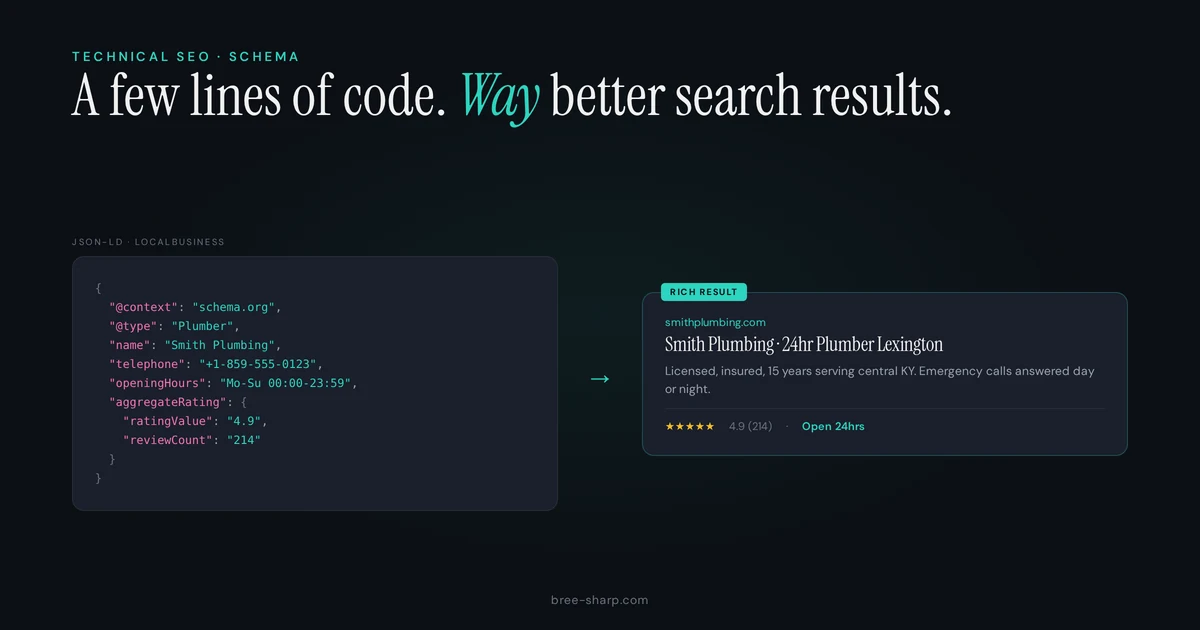
Local business schema markup is a block of JSON-LD that gives search engines your business's name, address, phone number, hours, and category in a fixed format. For Google's local business feature, only name and address are required. Everything else is optional, and none of it creates a location you do not have.
I see the same mistake in site reviews: a business serves several cities, so each city page gets a new LocalBusiness object and a location the company does not actually operate. The code looks specific. The underlying claim is still wrong.
This page gives you working examples for a storefront, a service-area business, and a multi-location brand, then the rules that keep them honest. The broader plain-English schema guide covers JSON-LD basics and non-local types such as Article and Product.
What local business schema is
Think of your business as a file folder. A person opens your site and sees hours, a phone number, and a map. A crawler sees text and has to guess which number is the phone and which line is the address. Local business schema labels those facts: this is the name, this is the street address, these are the hours.
In schema.org, LocalBusiness is both a type of Organization and a type of Place, so it can carry company details and location details together. It has dozens of more specific subtypes, such as Plumber, Dentist, and Restaurant. The format Google recommends is JSON-LD, a script block that sits in the page and leaves the visible design alone.
Three limits to keep in mind. Schema does not verify a business or create a Google Business Profile. It does not guarantee a rich result, because valid markup only makes a page eligible. And it is not a map pack ranking lever. Local pack results lean on your Google Business Profile, your proximity to the searcher, and how well known the business is. Schema is the website's half of the job: stating the same facts clearly.
Start with the physical-location rule
Google's LocalBusiness structured data documentation lists address and name as required. Use LocalBusiness for a real location tied to the business. Do not create an office address because a company serves that city, ranks there, or wants to rank there.
A service-area business may still have one legitimate base location. That real location can be the canonical LocalBusiness entity. The cities it serves belong on the service relationship, not in a collection of fictional offices.
Serving a city tells Google where the service is available. It does not prove that the business has an office there.
Google Business Profile follows the same logic. For a business that visits or delivers to customers and does not serve them at its address, Google's guidance is to remove the address from the profile and list service areas instead (up to 20, and not a radius, with the whole area staying within about two hours of driving from the base). If your public profile hides your address, your website markup should not publish it either. Markup has to match what visitors can see.
Which type to use for your situation
| Your situation | Markup to use | Address in markup? |
|---|---|---|
| Storefront or office that customers visit | The most specific LocalBusiness subtype | Yes, the public address |
| Shop or office that also travels to customers | LocalBusiness subtype, plus areaServed for the travel region | Yes |
| Home-based or mobile, address not public | Organization on the home page, Service on each service page | No |
| Several real locations | One Organization for the brand, one LocalBusiness subtype per location page | Yes, each page its own address |
| Online only, no service area | Organization | No |
The home-based row has a cost worth stating plainly: Google's LocalBusiness feature needs an address, so a business with no public address should not expect that feature. Organization and Service markup still describe the company and its offers accurately, which is the honest trade.
Organization, LocalBusiness, and Service do different jobs
Organization describes the company or brand. It is the stable business identity that can connect the website, logo, contact details, and public profiles through sameAs.
LocalBusiness is a subtype of Organization for a real business location. Use the most specific accurate subtype when one exists, and keep one canonical identity for each real location instead of minting a new one on every city page. Because LocalBusiness already inherits Organization properties, you do not need a second Organization block that repeats the same name, phone, and address for the same entity.
Service describes what the company provides. A service page can point to the canonical business as its provider and use areaServed for the city, county, or region where that service is available.
A company can legitimately have connected Organization, LocalBusiness, and Service entities. The problem is not having more than one type. The problem is publishing conflicting or invented facts.
Pick the most specific subtype
Google asks for the most specific LocalBusiness subtype that fits, and notes that additionalType is not supported (use an array of types if you need two). A few common matches:
| Business | Type |
|---|---|
| Plumber, electrician, HVAC, roofer, locksmith | Plumber, Electrician, HVACBusiness, RoofingContractor, Locksmith |
| General contractor, painter, mover | GeneralContractor, HousePainter, MovingCompany |
| Dental practice | Dentist |
| Law firm | LegalService (or its subtype Attorney) |
| Restaurant or cafe | Restaurant, CafeOrCoffeeShop |
| Salon or barber | HairSalon, BeautySalon |
| No close match | ProfessionalService or plain LocalBusiness |
Which properties matter
Google's documentation separates required from recommended, and the other valid schema.org properties are allowed but do not unlock a documented Google feature.
- Required:
nameandaddress(a PostalAddress). - Recommended:
url(a working link to that specific location's page),telephone(with country and area code),geo(coordinates with at least five decimal places),openingHoursSpecification, andpriceRange(under 100 characters). - Situational:
departmentfor a nested department with its own hours or phone,menuandservesCuisinefor food businesses, andvalidFromwithvalidThroughfor seasonal hours. - Useful beyond Google's list:
sameAsfor your public profiles,logoandimage, and a stable@idso other blocks can point to the same entity.
The smallest block that meets Google's requirements looks like this:
{
  "@context": "https://schema.org",
  "@type": "Dentist",
  "name": "Example Family Dentistry",
  "address": {
    "@type": "PostalAddress",
    "streetAddress": "100 Example Avenue",
    "addressLocality": "Lexington",
    "addressRegion": "KY",
    "postalCode": "40507",
    "addressCountry": "US"
  }
}
Start there and add properties only when the page shows the same fact to a visitor. A short, accurate block beats a long one with guesses in it.
Example 1: a LocalBusiness with a real location
This illustrative JSON-LD describes a fictional plumbing company with a staffed Lexington address. The business details are examples, not client facts. It omits AggregateRating because a business should not add its own rating to LocalBusiness markup in hopes of earning a Google review snippet.
{
  "@context": "https://schema.org",
  "@type": "Plumber",
  "name": "Acme Plumbing Services",
  "url": "https://acmeplumbing.com",
  "telephone": "+1-555-867-5309",
  "address": {
    "@type": "PostalAddress",
    "streetAddress": "123 Main Street",
    "addressLocality": "Lexington",
    "addressRegion": "KY",
    "postalCode": "40502",
    "addressCountry": "US"
  },
  "geo": {
    "@type": "GeoCoordinates",
    "latitude": 38.0406,
    "longitude": -84.5037
  },
  "openingHoursSpecification": [
    {
      "@type": "OpeningHoursSpecification",
      "dayOfWeek": ["Monday","Tuesday","Wednesday","Thursday","Friday"],
      "opens": "07:00",
      "closes": "18:00"
    },
    {
      "@type": "OpeningHoursSpecification",
      "dayOfWeek": "Saturday",
      "opens": "08:00",
      "closes": "14:00"
    }
  ],
  "priceRange": "$$",
  "areaServed": [
    {"@type": "City", "name": "Lexington"},
    {"@type": "City", "name": "Richmond"},
    {"@type": "City", "name": "Georgetown"}
  ]
}
The example uses the specific Plumber subtype and keeps its address, coordinates, hours, and broad service area together. Two adjustments before you adapt it. Google asks for at least five decimal places on coordinates, and the example rounds to four for readability, so copy yours from a mapping tool at full precision. And remove any property that the visible page does not support. Schema.org also permits areaServed on an Organization. For a dedicated city service page, use a Service entity with the canonical business as its provider and put that page's market in Service.areaServed, as the next example shows.
Example 2: a service-area business with no public address
For a city service page, describe the service, reference the real provider, and name the served place in Service.areaServed. The visible page should also explain what the company does there. A city name in JSON-LD cannot rescue a generic page.
First, the home page entity for a fictional mobile detailing company that works at customers' homes and publishes no street address:
{
  "@context": "https://schema.org",
  "@type": "Organization",
  "@id": "https://example.com/#business",
  "name": "Example Mobile Detailing Co.",
  "url": "https://example.com/",
  "telephone": "+1-555-010-0123",
  "logo": "https://example.com/images/logo.png",
  "sameAs": [
    "https://www.facebook.com/examplemobiledetailing",
    "https://www.linkedin.com/company/example-mobile-detailing"
  ],
  "areaServed": [
    {"@type": "City", "name": "Lexington"},
    {"@type": "City", "name": "Georgetown"}
  ]
}
Then a city service page that points back to it:
{
  "@context": "https://schema.org",
  "@type": "Service",
  "@id": "https://example.com/interior-detailing-lexington/#service",
  "name": "Interior detailing in Lexington, KY",
  "serviceType": "Interior car detailing",
  "url": "https://example.com/interior-detailing-lexington/",
  "provider": {
    "@type": "Organization",
    "@id": "https://example.com/#business",
    "name": "Example Mobile Detailing Co.",
    "url": "https://example.com/"
  },
  "areaServed": {
    "@type": "City",
    "name": "Lexington",
    "containedInPlace": {"@type": "State", "name": "Kentucky"}
  }
}
The provider repeats the name and URL next to the @id on purpose. A crawler reads each page by itself, and a bare reference to an entity that lives on another page may not resolve. Repeating two fields costs nothing. That is my implementation habit, not a Google requirement.
Keep the business name, telephone number, and canonical entity IDs consistent with the real business. List the places where you actually work. Google Business Profile caps service areas at 20, and a markup list of 60 towns reads as the same stuffing problem in a different file.
Example 3: one brand with several real locations
Give every location its own page with its own address, phone number, and hours, and give each page its own LocalBusiness subtype. Tie the locations back to one brand entity with parentOrganization. Here is a location page for a fictional HVAC company:
{
  "@context": "https://schema.org",
  "@type": "HVACBusiness",
  "@id": "https://example-hvac.com/locations/lexington/#location",
  "name": "Example HVAC Lexington",
  "url": "https://example-hvac.com/locations/lexington/",
  "telephone": "+1-555-010-0142",
  "address": {
    "@type": "PostalAddress",
    "streetAddress": "200 Example Boulevard",
    "addressLocality": "Lexington",
    "addressRegion": "KY",
    "postalCode": "40507",
    "addressCountry": "US"
  },
  "parentOrganization": {
    "@type": "Organization",
    "@id": "https://example-hvac.com/#organization",
    "name": "Example HVAC",
    "url": "https://example-hvac.com/"
  }
}
Each location's url should be that location's own page, not the home page, and its details should match that location's Google Business Profile. If a template generates these pages, generate the JSON-LD from the same data fields that print the visible address, so the two cannot drift apart.
Do not mark up your own business rating for a Google review snippet
Google calls reviews about the business that publishes them self-serving. Its review-snippet documentation only recommends LocalBusiness or Organization ratings for sites that capture reviews about other businesses, and it requires that ratings come directly from users, not from editors compiling them.
A real Google Business Profile rating does not become eligible just because the number is genuine. Third-party review widgets embedded on your own site count as your own reviews too. Do not copy that rating into AggregateRating on the business's own LocalBusiness or Organization object in hopes of earning stars. On-site testimonials can still be useful visible content, but they do not override the self-serving-review rule.
What to skip in 2026
- FAQPage markup for rich results. Google's documentation says the FAQ rich result is no longer shown in Search. A visible FAQ still helps readers. The markup no longer earns a display feature.
- Self-serving AggregateRating on your own LocalBusiness, covered above.
- Hidden or guessed values. Hours, services, or coordinates that the page does not show, or that you estimated, break Google's rule against marking up content visitors cannot see.
How to add local business schema to your website
- Check what already exists. View the page source and search for
application/ld+json. Themes and SEO plugins often publish a block already, and a second one creates conflicts. - Choose the entity from the table above, then the most specific subtype.
- Fill in only what the page shows. Copy the closest example here and replace every value.
- Publish it. Wrap the JSON in a
<script type="application/ld+json">tag. Google reads JSON-LD in the head or the body. Put the main block on the page that best represents the business, usually the home page or a contact or location page, and put Service blocks on their matching service pages. - Validate it with the checks below.
How that looks by platform: on WordPress, an SEO plugin with a local business module can output the block from form fields, so check its output before adding custom code. On Shopify, Wix, and Squarespace, look at what the theme or app emits first and fill gaps rather than duplicating. On a static or custom site, paste the script into the template and generate values from the same data that prints the visible address and hours.
How to Check If Your Schema Markup Is Working
Read the page first. Confirm that every marked-up business fact is visible, current, and true.
Inspect the vocabulary. Use the Schema.org validator to see the entities and properties on the page.
Test Google-supported features. The Rich Results Test reports supported items Google can detect and any critical issues it finds. A valid result is eligible, not guaranteed to display.
Check the indexed page. URL Inspection shows what Google knows about a specific URL. Search Console rich-result reports show samples of supported structured-data items, not every schema object and not proof that a special result appeared.
Before you publish, run this list:
- The name, address, and phone number match the visible page and the Google Business Profile exactly.
- Every property in the block appears on the page in plain text.
- Only one source (theme, plugin, or custom block) outputs the business entity.
- Coordinates have at least five decimal places and point to the real location.
- No
AggregateRatingorreviewabout your own business is in the markup. - The
urlpoints to a working page for that location. - Hours changed this season? The markup changed with them.
Common Schema Mistakes
- Invented locations: A city page creates an office or address the business does not operate.
- New entity on every page: Each route mints another LocalBusiness instead of referencing the canonical business.
- Self-serving ratings: The business copies its own rating into LocalBusiness or Organization markup.
- Hidden facts: The JSON-LD includes hours, services, or claims that readers cannot find on the page.
- Conflicting sources: A theme, plugin, and custom block publish different names, addresses, or URLs. Disable the duplicates.
- Wrong or generic type: A plain
LocalBusinesson a dental practice, or aRestauranttype on an HVAC company. - Name drift: Markup says "Acme Plumbing" while the Business Profile says "Acme Plumbing Co."
- Stale facts: Hours or phone numbers changed on the page and not in the block.
Update the visible page and its structured data together whenever a real fact changes.
What to Do Next
If you have one public address, start with Example 1 and add the Service pages later. If you travel to customers and publish no address, use Example 2. If you run several real offices, use Example 3 and make sure each office has its own page. In all three cases, inventory what the site already publishes before adding another plugin or code block, and remove any fact the visible page cannot support.
0-Tech Schema can help inventory a page and draft JSON-LD. Review the result against the visible page and Google's current documentation before publishing it.
A $500 SEO Health Check includes a written report within 48 hours and a 30-minute walkthrough after delivery.
FAQ
What is a LocalBusiness schema?
LocalBusiness is a schema.org type for a business with a physical location, and "LocalBusiness schema" is the JSON-LD block that uses it. The block states your name, address, phone number, hours, and other facts in a format search engines can read without guessing. It is a subtype of both Organization and Place, and it has more specific subtypes such as Plumber, Dentist, and Restaurant.
How do I add a local business schema to my website?
Choose the entity that fits your situation, copy the closest example on this page, replace every value with facts your page shows, and place it in a <script type="application/ld+json"> tag on the page that represents the business. Then check it in the Schema.org validator and the Rich Results Test. Check for existing schema from your theme or plugin first so you do not publish two conflicting blocks. The full steps are in the section on how to add it.
Can you give me an example of a local business schema?
Yes. The smallest valid version has a type, a name, and a PostalAddress, shown in the section on which properties matter. The fuller storefront example with coordinates, hours, and areas served is Example 1. Service-area and multi-location versions are Examples 2 and 3.
Can you provide an example of schema markup?
Every block on this page follows the same pattern: @context set to schema.org, an @type, then properties and values. The local business versions are above. For non-local types such as Article, Product, or BreadcrumbList, see the general schema markup guide.
Does schema markup directly improve my search rankings?
No general ranking boost is promised. Correct markup can make an eligible page understandable for a supported Google feature, but Google still decides whether to show that feature. Local pack placement depends mostly on your Google Business Profile, distance, and prominence.
Should I add schema myself or hire a developer?
Start by checking what the site already emits. A platform field or plugin may cover a simple entity. A developer is useful when templates conflict, several entities must be connected, or the implementation needs data the platform cannot model safely.
How do I know if my schema markup is working?
Confirm that the facts are visible, the JSON-LD parses, the entity is correct, and Google's rules for the intended feature are met. Rich Results Test and URL Inspection help with supported Google features. Neither guarantees display.
Can a service-area business use LocalBusiness?
Yes, when it has a real business location represented by that entity. Serving additional cities does not create additional locations. Put those markets on the relevant Service with areaServed. If the business publishes no address at all, use Organization and Service, since Google's LocalBusiness feature requires an address.
Can I mark up my Google Business Profile reviews?
Do not add your own business rating to LocalBusiness or Organization markup to seek a Google review snippet. Google's documentation treats that as self-serving review markup.
Do I still need schema if I have a Google Business Profile?
They do different jobs. The profile drives your listing in Maps and the local pack. Schema describes the same business on your own website. Keep the two consistent, and do not expect one to replace the other.
Does FAQ schema still show in Google?
No. Google's documentation says the FAQ rich result is no longer shown in Search. You can keep a visible FAQ for readers, but do not add FAQ markup in hopes of a special display.
Sources
- Google: LocalBusiness structured data
- Google: Review snippet structured data
- Google: General structured data guidelines
- Google: Search Central documentation updates (FAQ rich result removal)
- Google: Service-area businesses on Business Profile
- Schema.org: LocalBusiness
- Schema.org: Service
- Schema.org: areaServed
- Google: Rich-result report overview