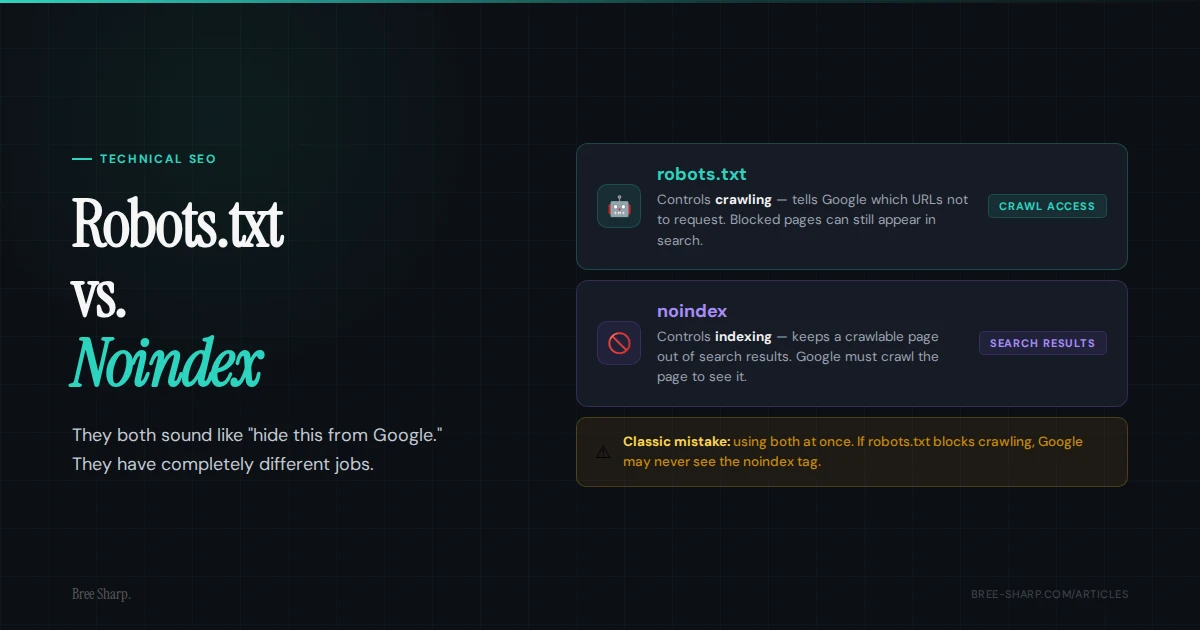
Use robots.txt when crawl access is the issue. Use noindex when search visibility is the issue. Robots.txt is not a privacy curtain, and noindex is not a crawl budget tool. They have different jobs.
The central difference
Robots.txt controls crawling. It tells search crawlers which URLs or paths they should not request. Noindex controls indexing. It tells search engines not to include a page in search results after they crawl it. If that sounds picky, it is not. It is the difference between "do not enter this room" and "you can look, but do not put this in the catalog."
| Use this | When your goal is | Important catch |
|---|---|---|
| robots.txt Disallow | Reduce crawler access to a path or file pattern. | The blocked URL can still appear in search if Google discovers it elsewhere. |
| Meta robots noindex | Keep a crawlable page out of search results. | Google has to crawl the page to see the noindex instruction. |
| X-Robots-Tag noindex | Noindex non-HTML files like PDFs. | It is sent as an HTTP header, so setup usually needs server or platform access. |
Where crawl budget fits
Robots.txt is a crawl-control tool, so crawl capacity and crawl demand can be part of the conversation. Google says crawl-budget work is mainly relevant to very large or rapidly changing sites. A 20-page service site should diagnose blocked or excluded URLs before treating crawl budget as the problem.
Use robots.txt when you want crawlers to stop spending time on URL patterns that do not need to be crawled at all: endless filtered URLs, internal search results, session ID URLs, calendar combinations, or generated pages with no search value. Do not use it as a magic eraser for URLs already in Google. If Google cannot crawl the URL, it also cannot reliably see a noindex tag on that URL.
On a small service site, robots.txt should reflect an access decision, not a general SEO cleanup. Confirm that important pages are crawlable, then check noindex, canonicals, redirects, and internal links separately.
Where canonical tags fit
Canonical tags are the third tool people mix into this decision. A canonical tag signals a preferred version. It does not block crawling, and it is not the same as noindex. Google treats the canonical as a hint and may select a different canonical.
Use a canonical when the content should consolidate into a preferred page, such as tracking-parameter URLs, printable versions, or near-duplicate variants. Use noindex when the page can be crawled but should not appear in search. Use robots.txt when the crawler should not request a path at all. Different jobs. Different consequences.
| Signal | What it says | Best fit |
|---|---|---|
| Canonical | This URL is a duplicate or alternate version; prefer another URL. | Duplicate variants, print pages, parameter URLs, similar versions. |
| Noindex | You may crawl this page, but do not show it in search results. | Public utility pages or other pages users need but searchers should not find. |
| Robots.txt | Do not crawl this path or URL pattern. | Low-value utility paths, faceted navigation, or generated URL patterns at scale. |
The mistake that causes the mess
The classic mistake is blocking a page in robots.txt and adding noindex to the page at the same time. That feels thorough. It is actually a trap. If Google is not allowed to crawl the page, it may never see the noindex tag.
Google says that if a page is disallowed from crawling through robots.txt, indexing or serving rules on the page may not be found and can be ignored.
That is how a URL can show up as "indexed, though blocked by robots.txt." Google knows the URL exists from links or sitemaps, but it cannot crawl the content well enough to see the page-level noindex instruction. Very annoying. Very fixable.
Another common version: a staging site goes live with Disallow: / still sitting in robots.txt, or a noindex tag left over from development. The site looks fine to humans, and the client celebrates. Search visibility quietly walks into a wall. This is why robots.txt and noindex checks belong in every launch QA list.
Decision tree
- You want a public page crawled but not shown in search: use noindex, and do not block it in robots.txt.
- You want to keep admin, cart, internal search, or filter patterns from being crawled: robots.txt may be appropriate.
- You need something private: use authentication, not robots.txt. Robots.txt is not a privacy system.
- You changed your mind about an indexed page: allow crawling, add noindex, and keep it crawlable while you need Google to process that directive.
- You are dealing with a duplicate page: consider canonical tags first if another page should be the preferred version.
Real-world use cases
Choose the directive by why the URL exists and what needs to happen next.
- Admin, login, cart, checkout, and account paths: usually block crawling or require authentication. Do not rely on robots.txt for anything truly private.
- Internal site search results: often block with robots.txt because these pages can create infinite low-value crawl paths.
- Faceted navigation and filter combinations: often use robots.txt, canonical rules, or both depending on whether any filtered pages deserve search visibility.
- Session ID and tracking-parameter URLs: usually canonicalize to the clean URL; block only when they create crawl waste at scale.
- Print versions: usually canonicalize to the main page or noindex if they must remain crawlable.
- Tag, category, and archive pages: index only if they are genuinely useful landing pages; otherwise consider noindex or stronger taxonomy cleanup.
- Thin utility pages: noindex if users need the page but searchers do not.
- AMP, duplicate, or alternate versions: canonical and structured relationships usually matter more than robots blocking.
How long noindex takes to work
Google has to crawl a page before it can process a noindex directive. Timing varies with recrawl frequency, and a request in Search Console does not guarantee an immediate update.
If the URL matters, inspect it in Google Search Console and request a recrawl after you add or remove noindex. The request can help Google notice the change, but it does not guarantee timing or indexing.
Make sure robots.txt allows the page while you are waiting for noindex to be seen. If Google cannot crawl the page, the noindex tag may never be processed.
AI crawlers and robots.txt
Several AI providers document crawler-specific robots.txt controls. OpenAI documents GPTBot for training controls and OAI-SearchBot for surfacing websites in ChatGPT search. Perplexity documents PerplexityBot behavior. Anthropic documents ClaudeBot for training, Claude-User for user-directed retrieval, and Claude-SearchBot for search. Review the current provider documentation before copying a blocklist.
Robots.txt is the access control these providers document for their named crawlers. A page-level noindex tag is a search-indexing instruction, not a universal training or retrieval control for every AI system. Review robots.txt by user agent when AI crawler access matters.
For GEO and AI search visibility, blocking crawlers is a business decision, not just a technical one. Make sure you know what you are excluding before you paste in a giant blocklist.
How Search Console exposes the problem
Google Search Console gives you clues when these signals are tangled. Statuses worth watching include Indexed, though blocked by robots.txt, Discovered - currently not indexed, and Crawled - currently not indexed.
- Indexed, though blocked by robots.txt: Google knows the URL exists but cannot crawl it normally. If your goal is removal, allow crawling and use noindex so Google can process the directive.
- Discovered - currently not indexed: Google knows the URL but has not crawled it. Check internal discovery, sitemap inclusion, duplicate URL patterns, server reliability, and crawl demand on large sites.
- Crawled - currently not indexed: Google crawled the URL but did not add it to the index. Check the selected canonical, duplication, soft-404 signals, internal links, and the page's distinct purpose.
The robots.txt checker tells you whether the crawler is allowed in. The indexability checker covers the surrounding status, noindex, canonical, and redirect signals.
What service businesses should check after a launch
After a redesign, migration, or staging launch, check the pages that make money first: homepage, contact page, service pages, location pages, and any high-performing articles. The thank-you page can wait. The page that gets the phone to ring cannot.
- Make sure robots.txt does not contain
Disallow: /for normal crawlers. - Make sure important pages do not have
noindexleft over from development. - Make sure sitemap URLs are not blocked by robots.txt.
- Make sure canonical tags point to the final HTTPS version of the page.
- Make sure redirected URLs are not the only versions listed in internal links or sitemaps.
FAQ
Does robots.txt remove a page from Google?
Not reliably. Robots.txt blocks crawling, but Google may still show a discovered URL without a normal snippet. To keep a page out of search, use noindex on a crawlable page, require login, or remove the page.
Should I use noindex in robots.txt?
No. Use a meta robots tag on the page or an X-Robots-Tag HTTP header. Google documentation says unsupported robots.txt rules are ignored by its robots parser.
Can I use robots.txt and noindex together?
Usually no. If robots.txt blocks crawling, Google may not see the noindex tag. Use noindex while the page is crawlable when your goal is removal from search results.
How long does noindex take to work?
Noindex works after Google recrawls the page and processes the directive. Timing varies with crawl frequency. You can request recrawling in Google Search Console, but the request is not instant or guaranteed.
Should I use canonical or noindex for duplicate pages?
Use a canonical tag when another URL is the preferred version and you want signals consolidated. Use noindex when the page should stay accessible to users but should not appear in search results.
Does robots.txt help crawl budget?
It can for large sites with many low-value URL patterns, such as faceted navigation, internal search, and parameter URLs. For small service business websites, crawl budget is usually less important than fixing crawl blockers, noindex tags, canonicals, internal links, and page quality.
Can robots.txt block AI crawlers?
Several AI providers document robots.txt user-agent controls. A noindex tag is a search-indexing directive, not a universal AI crawler or training control. If AI crawler access matters, review robots.txt rules for specific user agents.
What does indexed though blocked by robots.txt mean?
It means Google knows the URL exists and may show it, but robots.txt prevents normal crawling. If your goal is to remove the page from search, allow crawling and use noindex so Google can process the directive.